Top-up Account
Fund a mainnet account via PayPal, Venmo, Apple Pay, or any Solana mobile wallet.
pay topup opens an interactive TUI with two funding paths. Pick the one that matches what you have to hand — a card, or a phone with a Solana wallet already on it.
pay topupSandbox calls don't need this — --sandbox generates and funds an ephemeral wallet on first use. Run pay topup --sandbox only if you want a funded localnet account that persists across runs.
Buy stablecoins (onramp)
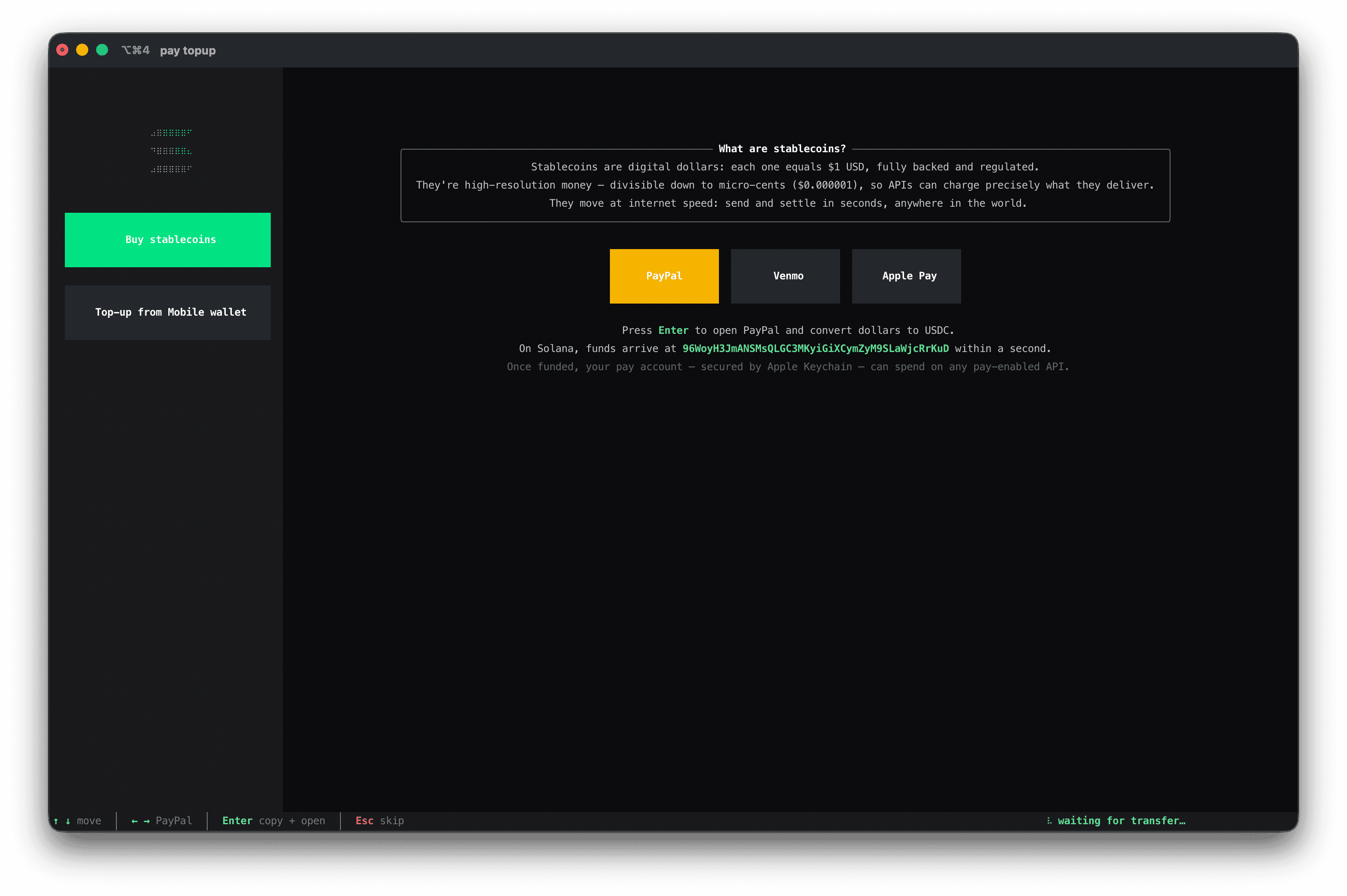
Use a card. The gateway opens a browser tab that hands off to MoonPay; pick PayPal, Venmo, or Apple Pay; funds land in your pay account within a minute.
| Step | What happens |
|---|---|
| 1 | Highlight Buy stablecoins with ↑ ↓. |
| 2 | Pick a payment method with ← → (PayPal, Venmo, or Apple Pay). |
| 3 | Press Enter. pay opens https://api.gateway-402.com/onramp in your browser. |
| 4 | Complete the purchase. The gateway converts the dollars to USDC on Solana, addressed to your pay account. |
| 5 | The TUI polls every second; when the balance increases, it prints Account funded and exits. |
Set PAY_ONRAMP_HOST if you've been issued a custom gateway origin. See Global flags → Environment variables for the full list.
Top-up from a mobile wallet
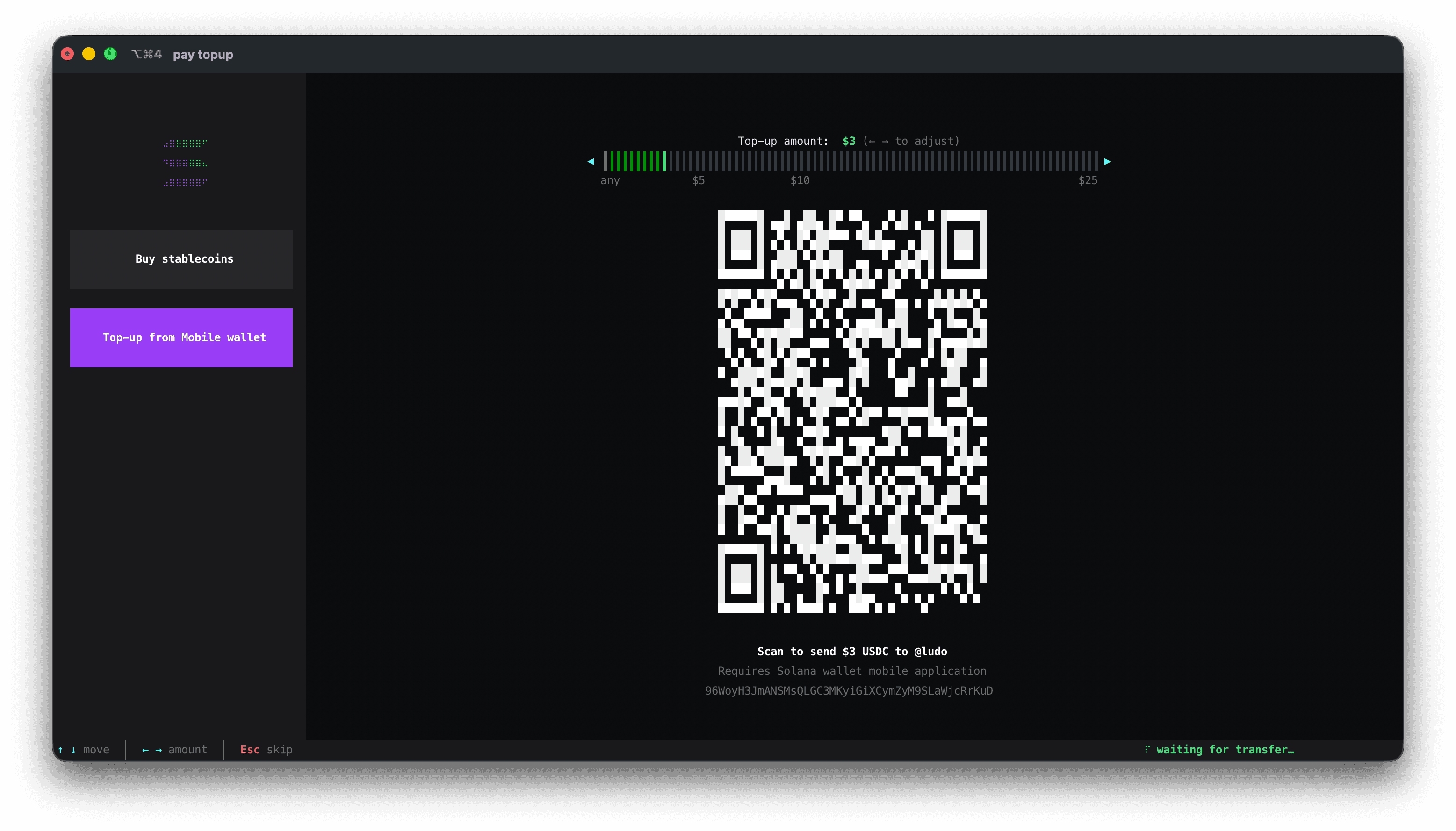
Use a phone with a Solana wallet. pay renders a Solana Pay QR; you scan it from the wallet's camera, approve the transfer, done.
| Step | What happens |
|---|---|
| 1 | Highlight Top-up from Mobile wallet. |
| 2 | Adjust the amount with ← → (any, $5, $10, $25 markers; the slider's lower bound is "any" — your wallet picks the amount at confirmation). |
| 3 | Open one of the wallets below on your phone, hit Scan, point at the QR. |
| 4 | Approve the transfer in the wallet. pay detects the balance change within a second and exits. |
The QR encodes a Solana Pay URL: solana:<pubkey>?amount=<n>&spl-token=<USDC mint>. Any wallet that supports the Solana Pay scheme can pay it.
Supported Solana wallets (A–Z)
| Wallet | iOS | Android | Site |
|---|---|---|---|
| Backpack | yes | yes | backpack.app |
| Fuse | yes | yes | fusewallet.com |
| Phantom | yes | yes | phantom.com |
| Solflare | yes | yes | solflare.com |
Other Solana Pay–compatible wallets work too; this list covers the ones tested with pay topup.
Timing
After 5 seconds of polling, the TUI starts asking pay-api for the balance every second. If nothing arrives within 5 minutes, polling halts and the TUI shows ▲ idle 5m — press R to refresh in the top-right. Press R to restart the cycle, or Esc to exit.
What happens after funding
pay prints an Account funded notice with the amount received and a clickable transaction link (Solana Explorer) when one is available. The wallet's secret remains in your OS secure store — see Manage Accounts → Inspect the macOS Keychain entry for what's on disk and how to read it back.
pay whoamiwhoami shows the active mainnet account and its stablecoin balances after the top-up settles.